Coo vs Baby Tracker
Last checked 8 November 2026. Sources are numbered in the table and listed at the end.
In short
Coo and Baby Tracker - Newborn Log both log feeds, sleep and diapers on iPhone and Apple Watch, and both are free to start.
Coo has no ads and nothing to buy. You log with single taps instead of timers, get an Undo after every change, and share through iCloud with one invite.
Baby Tracker reaches further: Android, iPad, 15 languages, and What’s Next timing cues with a Plus subscription. Its free version carries ads.
 Free. No ads. No sign-up.
Side by side
| Feature | Coo | Baby Tracker |
|---|---|---|
| Logging | ||
| Hands-on time for a 30-minute feed | About 2 seconds: tap “Feeding started”, put the phone down, tap “Feeding ended” later. If you forget the end, Coo works it out. | Start the nursing timer. It keeps running in the background, and you tap the nursing button to bring it back and stop it or switch sides. 31 |
| Anything left running? | Never. Every log is a moment, so there is no timer to forget. | Nursing and sleep use timers that run until you stop them. Live Activities track the active session. 13 |
| Missed a tap | Coo fills the obvious gaps, like ending a feed when baby falls asleep or adding “woke up” before a night feed. What it adds is marked, and your own logs always win. | We couldn’t find any automatic gap-filling in its listing or FAQ. 13 |
| Tapped the wrong thing | An Undo button after every log, edit or delete, going back up to 10 changes. Widget and Watch taps get Undo too. | We couldn’t find an Undo in its listing or FAQ. Its FAQ says to tap a record to edit it, or swipe left and tap Delete. 13 |
| Fix a wrong time | Drag the event to the right time, or tap the time and type 3 digits. | Tap the record on the review page and edit it. 3 |
| Apple Watch | Free. One tap on a watch-face complication logs sleep, waking, or a feed starting or ending, with Undo. A diaper takes one more tap to pick the type. | Records and reviews activities, on watchOS 10 or later. Nighp’s FAQ says Apple Watch features need the full-version purchase; we couldn’t find whether today’s $4.99 Remove Ads is that purchase. 13 |
| Siri | Free and built in. Say “Log in Coo” with no setup, or put a log on the Action Button. | Siri Shortcuts, and Quick Log, which takes your own words but needs iOS 26 with Apple Intelligence. Nighp’s FAQ lists Siri Shortcuts under the full version. 13 |
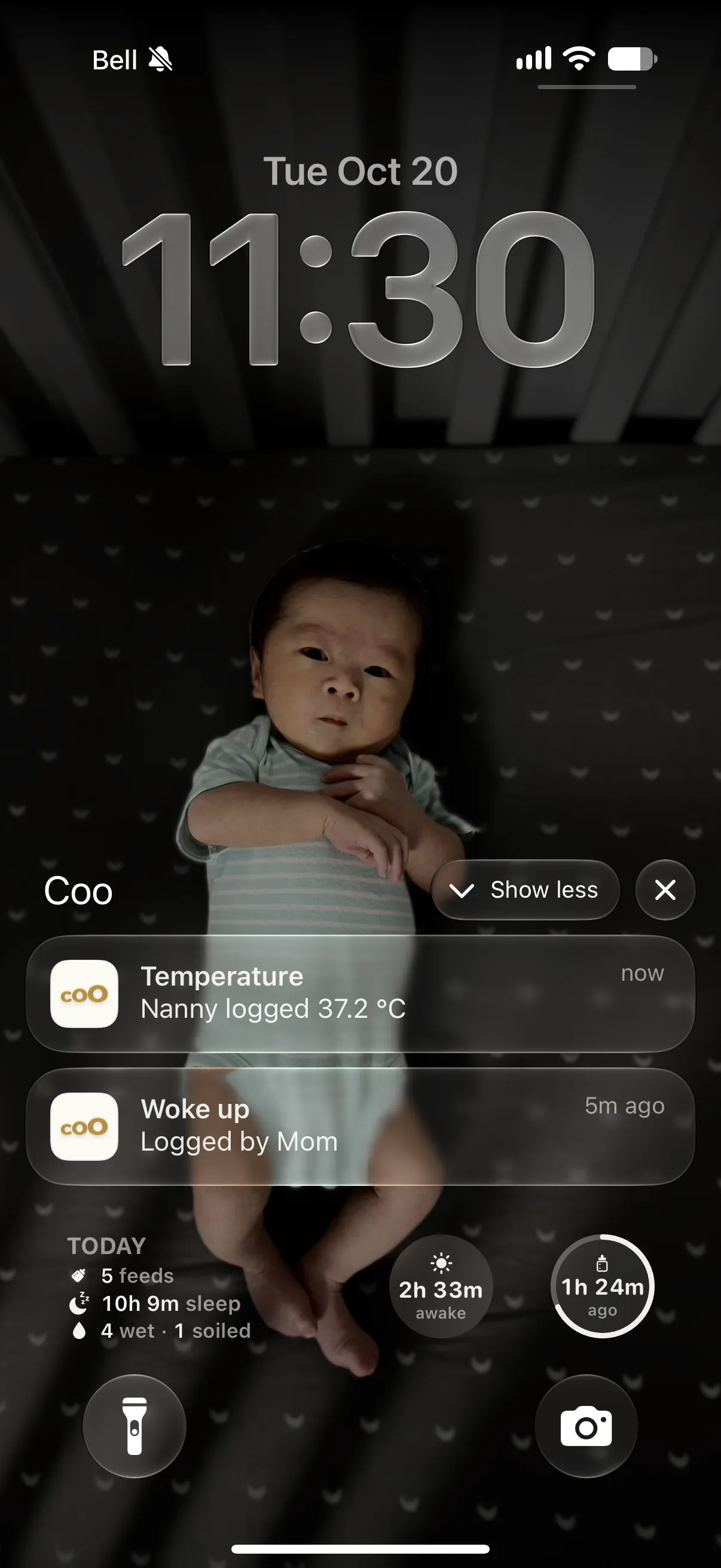
| Home Screen and Lock Screen | Free widgets for one-tap logging, plus last feed, awake time and today’s totals on the Lock Screen. | Home Screen and Lock Screen widgets “for quick information”, plus Live Activities. We couldn’t find whether widgets log with a tap. 1 |
| Your data in and out | ||
| Import from other baby trackers | Huckleberry, Baby Tracker and PiyoLog files, plus pasted notes and an AI prompt for any other app’s export. | We couldn’t find an import from other apps in its listing or FAQ. 13 |
| Export | Everything or any one week, as CSV or text, any time. Free. | PDF reports to email or print. Nighp’s older FAQ lists CSV exporting under the full-version purchase; we couldn’t find a current statement. 14 |
| Backups | Your log stays in your own iCloud. | Daily backups to iCloud or Dropbox, keeping the last 7 days, per its older FAQ. Restoring replaces what’s on the device, and restore doesn’t work in sync mode. 43 |
| Sharing, price and privacy | ||
| How a partner joins | Share an iCloud invite. | Create a sync group on the device with all the data, using an email and password, then join it from the other devices with the same login. Nighp’s older FAQ also describes a group over a shared iCloud or Dropbox account, and warns that joining overwrites the joining device’s data. 34 |
| Account | Not needed. Sharing is managed by iCloud. | Not needed to log on one phone. Sync through Baby Tracker Server needs an email and password. 35 |
| Price | Free. Every feature, no in-app purchases, no ads. | Core tracking is free. Remove Ads is $4.99 once. Plus is $5.99 a month or $49.99 a year, and is ad-free with What’s Next cues. 1 |
| Who pays | Nobody. | Group Plus lets one Plus subscription cover everyone in a sync group. Nighp’s FAQ says in-app purchases don’t work with Family Sharing. 13 |
| Ads | None. | The free version shows ads; Remove Ads and Plus take them away. 15 |
| Privacy | No tracking and no ads. Your log lives on your devices and in your own iCloud. If you turn on a web link for a caregiver, that link’s last 24 hours pass through our server. | Its App Store label lists identifiers used to track you, plus health data, purchases, contact info, user content and identifiers linked to you. With Baby Tracker Server sync, its privacy policy says your records and photos go to its servers, and it may use aggregated or anonymized data to train its AI models. 15 |
| Platforms | iPhone and Apple Watch. No Android app or iPad version. | iPhone, iPad, Apple Watch and Android. 12 |
| Languages | English and Simplified Chinese. | 15 languages, including English and both Simplified and Traditional Chinese. 1 |
| Where Baby Tracker goes further | ||
| Timing cues | Predicts the next nap or bedtime, free and off by default (Profile → Features). No feed or diaper cues and no sleep coaching. | What’s Next suggests wind-down, nap length, wake-up, feed and diaper timing, made on your device. It has a free 3-day preview, then needs Plus. 1 |
| Solids | Logged as a custom event with a note. | Log solids alongside bottles, formula and expressed milk. 1 |
| More than one baby | One baby per log. | Add another baby from the baby’s profile. 3 |
| Growth | WHO or China (WS/T 423) percentiles, with age corrected for babies born early. | WHO standards from 0 to 5 years, with adjusted age for premature babies. 3 |
A tinted cell marks the app that does better on that row.
A 30-minute feed, step by step
Both apps can log a feed in a couple of taps. The difference is what keeps running in between.
Coo
- Tap “Feeding started” on the widget, the Watch or in the app.
- Put the phone down. Nothing is running.
- Tap “Feeding ended” when you’re done. Coo works out the 30 minutes.
- Fell asleep first? Coo ends the feed for you and marks the end it added.
Baby Tracker
- Start the nursing timer.
- The timer keeps running in the background.timer running
- Tap the nursing button to bring it back and stop it, or switch sides.timer running
- We couldn’t find any automatic fill-in if you forget, in its listing or FAQ.
Tapped the wrong thing?
At 3 a.m., mis-taps happen. Coo is built to take them back in a second.
Coo
- Every log, edit and delete shows an Undo button. It goes back up to 10 changes.
- Off by a few minutes? Hold the event and drag it to the right time.
- Or tap its time and type it: three digits, like 9 3 0.
Baby Tracker
- Go to the review page and find the record.
- Tap it to edit, or swipe left and tap Delete.
- We couldn’t find an Undo in its listing or FAQ.
Free, with no catch
Coo has one version. There are no ads, and nothing is held back for a purchase.
Baby Tracker keeps core tracking free. Ads come out with the $4.99 Remove Ads purchase or a Plus subscription, and What’s Next cues need Plus after a 3-day preview. Nighp’s FAQ also says Apple Watch and Siri Shortcuts need its full-version purchase, and we couldn’t find whether that’s today’s Remove Ads.
Sharing without a sync group
Coo shares through iCloud, like a shared note. Each person logs from their own Apple ID, and there’s no group to set up.
Baby Tracker shares through a sync group you create on the device with all the data, using an email and password that the other devices then enter. Nighp’s older FAQ also describes a group over a shared iCloud or Dropbox account, with a warning that joining overwrites what’s on the joining device.
Bring your whole history
Coo reads the zip Baby Tracker gives you, as it is. Feeds, sleep, diapers, pumping, growth, medicine, temperature, vaccines and tummy time map to Coo’s own events. Milestones and other activities come in as custom events, with their details kept.
Coo shows what it will bring in before anything changes, and importing the same file twice adds nothing.
Which one fits your family?
Choose Baby Tracker if…
- You want timing cues for feeds and diapers as well as naps, and you’re happy to pay for Plus.
- Someone in the family uses Android or logs on an iPad.
- You have more than one baby to track.
- You want a language other than English or Simplified Chinese.
- You’d like PDF reports to email or print.
Choose Coo if…
- You want no ads and nothing to buy.
- You’d rather tap once and walk away than start and stop a timer.
- You want an Undo after every change.
- You and your partner want to share through iCloud with one invite.
- You want your log in your own iCloud, with no tracking.
Switching from Baby Tracker
- In Baby Tracker, go to Settings → Export Data to CSV and save the zip to Files. Nighp’s older FAQ lists CSV export under its full-version purchase.
- In Coo, go to Profile → Import Events → Baby Tracker → Choose File, and pick the zip as it is. There’s no need to unzip it.
- If the file has more than one baby, pick whose history to bring in. A Coo log is one baby’s.
- Coo shows what it will bring in before anything changes. Milestones and activities Coo doesn’t have come in as custom events, with their details kept. Importing the same file twice adds nothing.
Questions parents ask
Is Baby Tracker free?
Core tracking is free, with ads. Its App Store listing sells Remove Ads for $4.99, and Baby Tracker Plus for $5.99 a month or $49.99 a year, which is ad-free and includes What’s Next cues after a 3-day preview. Coo is free with every feature and has no ads.
Does Baby Tracker work on Apple Watch?
Yes. Its listing says you can record and review activities from Apple Watch, on watchOS 10 or later. Nighp’s FAQ says Apple Watch features need the full-version purchase, and we couldn’t find whether that’s today’s Remove Ads. Coo’s Apple Watch complications are free.
How does my partner share Baby Tracker?
Through a sync group. You create it on the device with all the data, using an email and password, and other devices join with the same login. Nighp’s older FAQ also describes joining over a shared iCloud or Dropbox account and warns that joining overwrites that device’s data. Coo invites a partner through iCloud, and each person keeps their own Apple ID.
What if I tap the wrong thing?
In Coo, every log, edit and delete shows an Undo button, going back up to 10 changes. We couldn’t find an Undo in Baby Tracker’s listing or FAQ; its FAQ says to tap a record to edit it or swipe left to delete it.
Can I move my Baby Tracker data to Coo?
Yes. In Baby Tracker, go to Settings → Export Data to CSV and save the zip to Files, then choose it in Coo under Profile → Import Events → Baby Tracker → Choose File. Coo shows a preview before anything changes. If the file has more than one baby, you pick whose history to bring in.
Does Baby Tracker predict naps?
Its What’s Next feature suggests wind-down, nap length, wake-up, feed and diaper timing, made on your device. It has a free 3-day preview, then needs Plus. Coo can predict the next nap or bedtime for free, as an option you turn on in Profile → Features, and doesn’t coach sleep.
Can I track twins in Coo?
Coo keeps one baby per log. Baby Tracker lets you add another baby, so it’s the better fit if you’re tracking more than one.
Is Coo on Android or iPad?
No. Coo is on iPhone and Apple Watch only. Baby Tracker is on iPhone, iPad, Apple Watch and Android.
Sources
Checked 8 November 2026. Prices are US App Store prices and may change. Where we couldn’t find something in Baby Tracker’s listing or help center, we say so instead of guessing. Spot a mistake? Tell us through Support and we’ll fix it.
- Baby Tracker - Newborn Log on the App Store: description, in-app purchases, privacy label, languages, compatibility
- Nighp Software: apps (Baby Tracker on iPhone, iPad and Android)
- Baby Tracker FAQ, Nighp Software (page dated 2015)
- Baby Tracker FAQ, older iOS page, Nighp Software (page dated 2014)
- Baby Tracker privacy policy, effective 30 August 2026
Baby Tracker is a trademark of Nighp Software LLC. Coo isn’t affiliated with or endorsed by Baby Tracker.
Coo is free on iPhone and Apple Watch.