Breastfeeding, logged in two taps
A breastfeeding tracker with no timer to babysit
Coo is a free breastfeeding tracker for iPhone and Apple Watch with no stopwatch. You tap once when a feed starts and once when it ends, and Coo works out how long it lasted. Nothing is left running that you have to come back and stop.
 Free. No ads. No sign-up.
How to log a breastfeed in Coo
- Tap “Feeding started” on a Home Screen widget, on your Apple Watch or in the app, or tell Siri “Log in Coo”.
- Put the phone down and feed your baby.
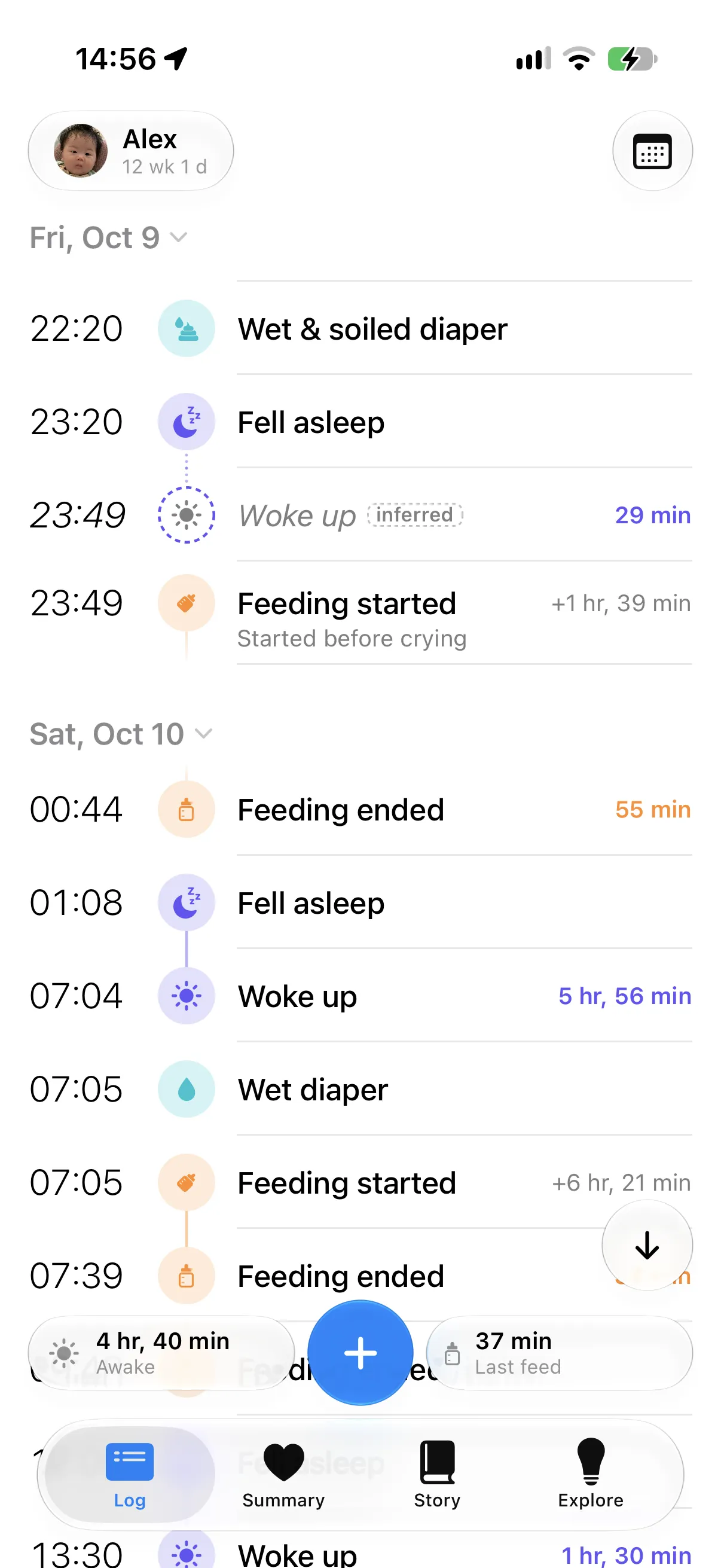
- Tap “Feeding ended” when you’re done. Coo shows how long the feed lasted.
- To note a side, tap the feed in your log and use its L/R button.
If you forget to tap the end
If your baby falls asleep at the breast and you log “Fell asleep”, Coo ends the feed at that moment. What Coo adds looks slightly different in the log, and your own log always wins.
If nothing else tells Coo when the feed ended, it doesn’t make up an end. After 2 hours an open feed shows as unfinished, and you can close it yourself.
Relatches and breaks between sides
A second “Feeding started” within 30 minutes, with no end logged between, counts as the same feed, so a relatch doesn’t split it.
If you count time between feeds from the start (a Profile setting), a feed that begins within 30 minutes of the last one’s end joins it, as when you change a diaper between sides.
To see how long each side took, log each side as its own feed: tap “Feeding ended” when you switch, then “Feeding started” on the other side, and set L or R on each. Each one keeps its own length. They count as two feeds in your daily totals.
Remembering which side
Coo keeps the side a feed started on. After the feed, it shows the other side on the app’s status bar, on widgets and on Apple Watch. It’s a memory aid, like moving a hair tie between wrists, and it isn’t a recommendation.
What’s different about logging this way
Every log is a moment you can fix. Each change has an Undo button, and to correct a time you drag the event or type three digits.
Coo is free, with no ads or accounts. Bottle feeds and pumping go in the same log.
What Coo doesn’t do for breastfeeding
- Widget and Apple Watch taps don’t record a side. You add that in the app.
- Coo is a logging tool and doesn’t give medical advice. It records what you log and doesn’t judge whether a feed was long enough or whether your baby is getting enough. For questions about feeding, talk to your pediatrician or a lactation consultant.
- Coo has no Android app, no iPad app and no sleep coaching.
Breastfeeding log questions
Is there a breastfeeding tracker without a timer?
Yes. Coo logs breastfeeding as moments rather than with a stopwatch. You tap when a feed starts and when it ends, and Coo works out the duration. It is free on iPhone and Apple Watch.
Does Coo track which breast I fed on?
Yes, if you set it. Tap the feed in your log and use its L/R button. Coo keeps the side the feed started on and then shows the other side as the next one, on the app, widgets and Apple Watch.
Does Coo time each breast separately?
Yes, by logging each side as its own feed. Tap “Feeding ended” when you switch and “Feeding started” on the other side, then set L or R on each. Each feed keeps its own length, and they count as two feeds in your daily totals.
What happens if I forget to log the end of a feed?
If you log that the baby fell asleep, Coo ends the feed at that time and marks the end it added. Otherwise the feed shows as unfinished after 2 hours, with no duration, until you add the end.
Does Coo give breastfeeding advice?
Coo is a logging tool and doesn’t give medical advice. It records the feeds you log and doesn’t judge whether a feed was long enough or whether your baby is getting enough. For questions about feeding, talk to your pediatrician or a lactation consultant.
Coo is free on iPhone and Apple Watch.